Gaming with friends meant opening Discord on one monitor and the game on the other, by hand, every single time. RigDeck started there and grew into a full automation panel.
Open source · Windows 10 and 11 · No hardware
A Stream Deckwith no hardware.
Your phone opens a web page and controls your Windows PC over the local network. Launch apps, games and sites, send each window to the monitor you pick, and close it all with a long press. Nothing to install on the phone.
Your phone
Your PC
Monitor 1● REC
Monitor 2● REC
- $ waiting for a tap
Tap a button on the phone. Hold it to close what it opened.
+100 ♥ · 30/90
app.post('/run') await runPreset() // 2 stepsexport default app
How it works
Four layers, each blind to the next
The frontend has no idea PowerShell exists. The executor has never seen a button grid. Each layer only knows its neighbor, so you can test every piece alone.
- 01
PWA on the phone
Plain JavaScript, no buildA grid of buttons in folders, with the editor built in. The page reloads itself when the server ships a new version.
fetch('/api/presets/gaming/run', { method: 'POST' }) - 02
Fastify API
Node.js + TypeScriptReceives the tap, finds the preset and hands its steps to the executor. Route schemas and types end to end.
app.post('/api/presets/:id/run', run) - 03
Executor
One decision per stepDecides how each step runs: open a program, send a key, run a command, play a sound, or close what is already open.
{ "type": "launch", "target": "steam://rungameid/730", "monitor": 1, "fullscreen": true } - 04
PowerShell + Win32
Add-Type, no native moduleThe layer that talks to Windows. It lists monitors, moves and resizes windows, pulls icons out of .exe files, finds Steam and Epic games and sends keys.
place-window.ps1 -Hwnd 0x2A04F2 -Monitor 1 -Fullscreen - →
Steps
Five kinds of step. Mix them in one button.
A preset is a list of steps. One button can open Spotify, Brave and VS Code at once, or start a game on monitor 2 and switch your OBS scene.
Opens an .exe, a shortcut, a protocol like steam:// or epicgames://, or a URL. Pick the monitor and whether it goes full screen.
{
"type": "launch",
"target": "steam://rungameid/730",
"monitor": 1,
"fullscreen": true
}Runs any shell command and sends the output back to the phone.
{
  "type": "cmd",
  "command": "ipconfig /flushdns"
}
Sends a key to the window in front or to one process. MAXIMIZE and RESTORE act on the window itself, so the app does not need to listen.
{
  "type": "key",
  "key": "F11",
  "processName": "brave"
}
Plays a local audio file and lets the rest of the preset keep going.
{
  "type": "sound",
  "path": "D:\\sounds\\airhorn.mp3"
}
Drives OBS through its WebSocket API: switch scenes, mute the mic, start or stop recording and streaming.
{
  "type": "obs",
  "action": "scene",
  "sceneName": "Gameplay"
}
Features
Everything a deck on your desk does, and a few things it can’t
- 01
Folders, like the real one
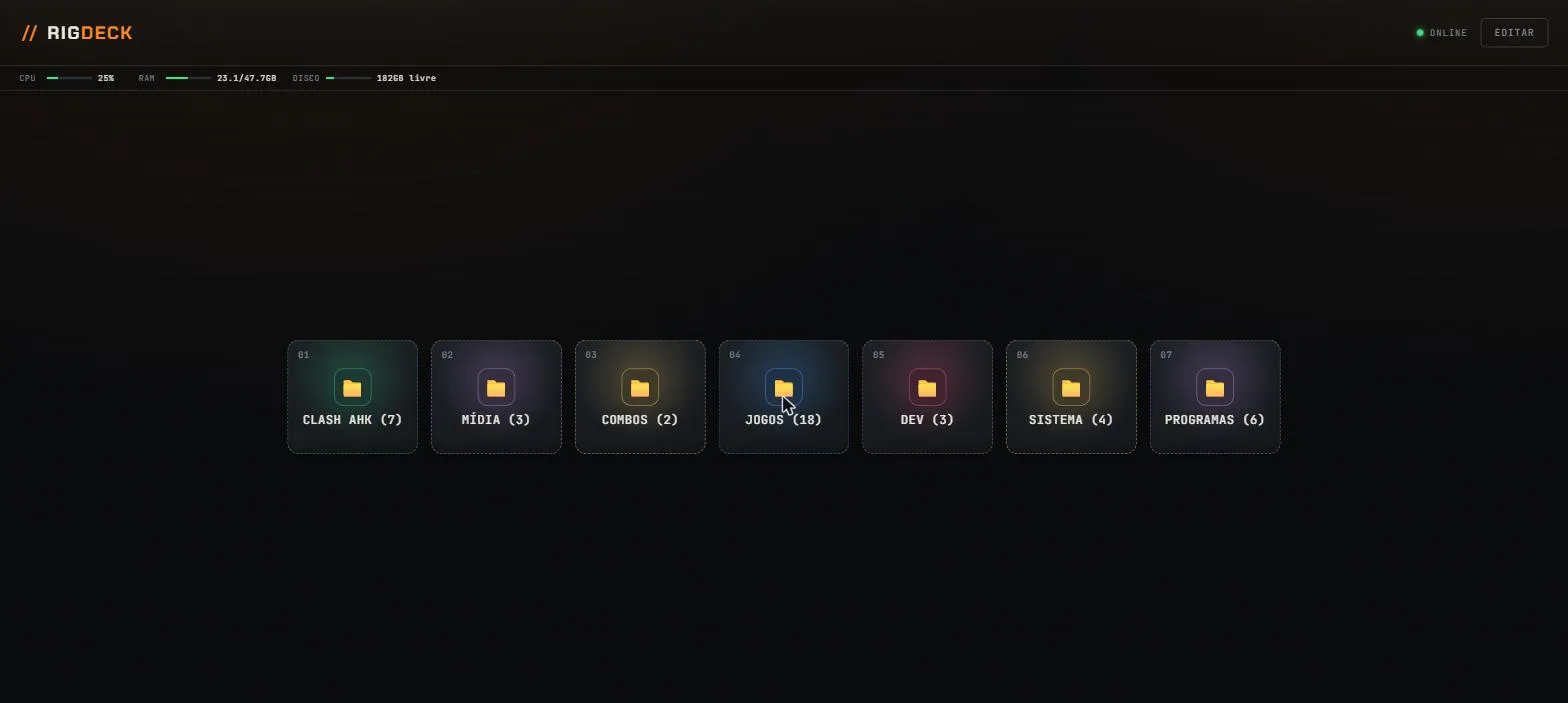
Nest shortcuts in folders, the same way Elgato’s Stream Deck does.
- 02
Hold to close
Hold a button and RigDeck closes what that preset opened, tracked by PID or window handle. Other copies of the same app stay open.
- 03
A monitor per step
Each step picks its monitor, then goes full screen or takes the position and size you set.
- 04
Sites in their own window
URLs open with --app=, with no tabs or address bar, and close one by one without taking the browser down.
- 05
Finds your programs
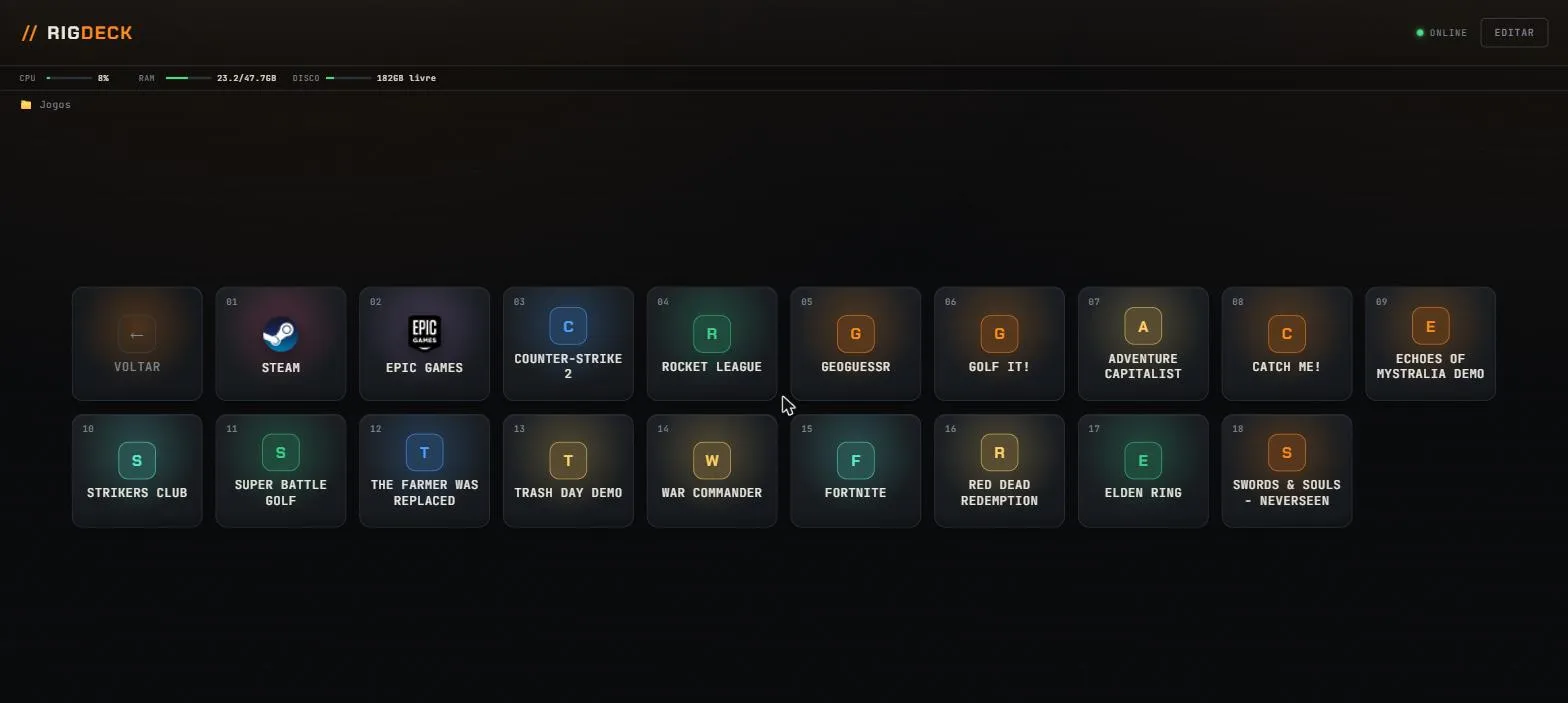
Scans the Start Menu, the Desktop and the Steam and Epic manifests, then sorts games from regular apps.
- 06
Mixer and soundboard
Master, mic and per-app volume, a 2-band EQ, a voice effect, and sound buttons you can fire from a key or a Discord keybind.
- 07
OBS from the phone
Switch scenes, mute the mic, start and stop recording or streaming.
- 08
Browse disk folders
Point a button at a folder and tap through its files as a grid, no setup per file.
- 09
Live stats
CPU, RAM and free disk in the status bar, plus your Claude Code 5-hour and weekly usage.
- 10
Installable PWA
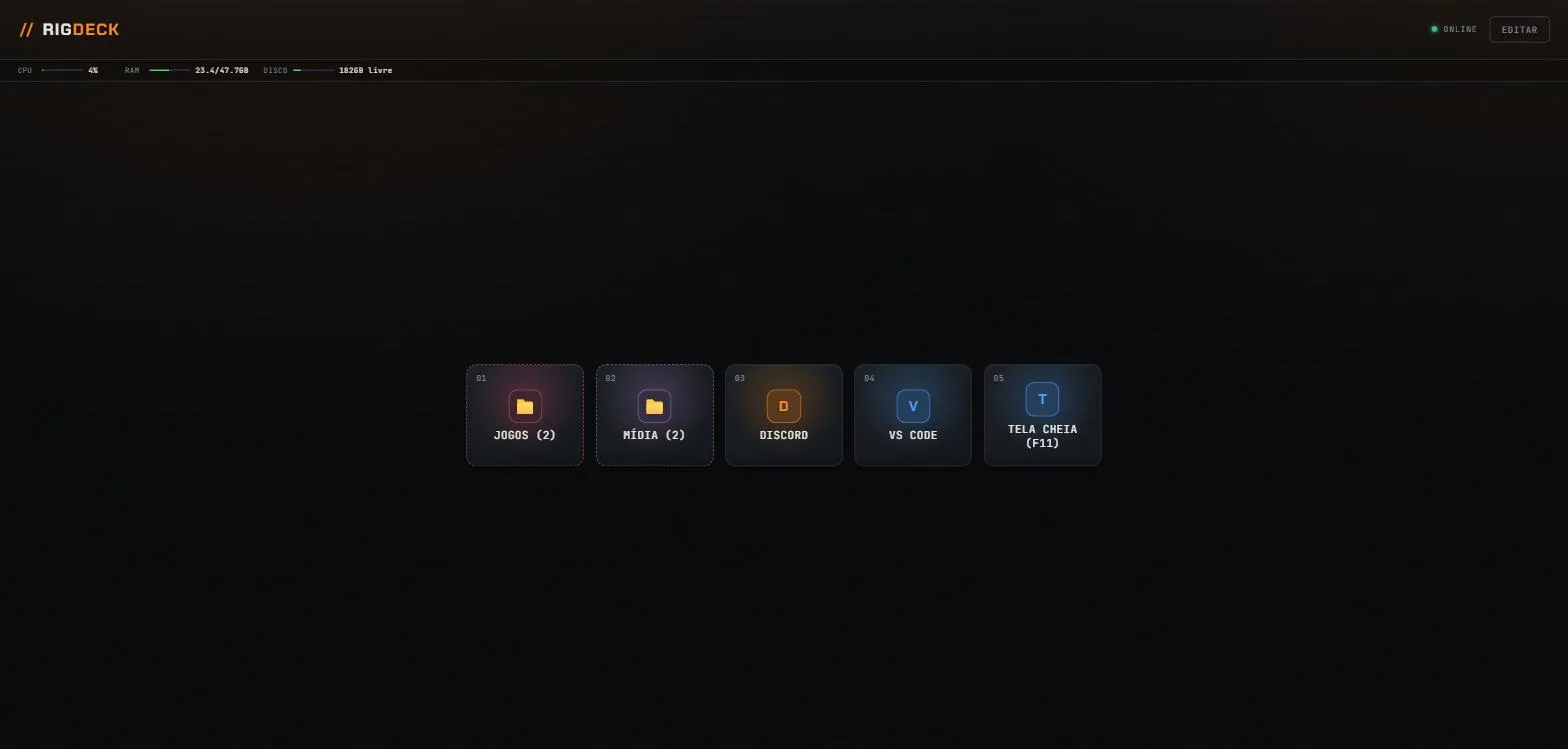
Add it to the home screen. In landscape it shows up to 4 buttons per page in a sliding tray.
- 11
Export and import
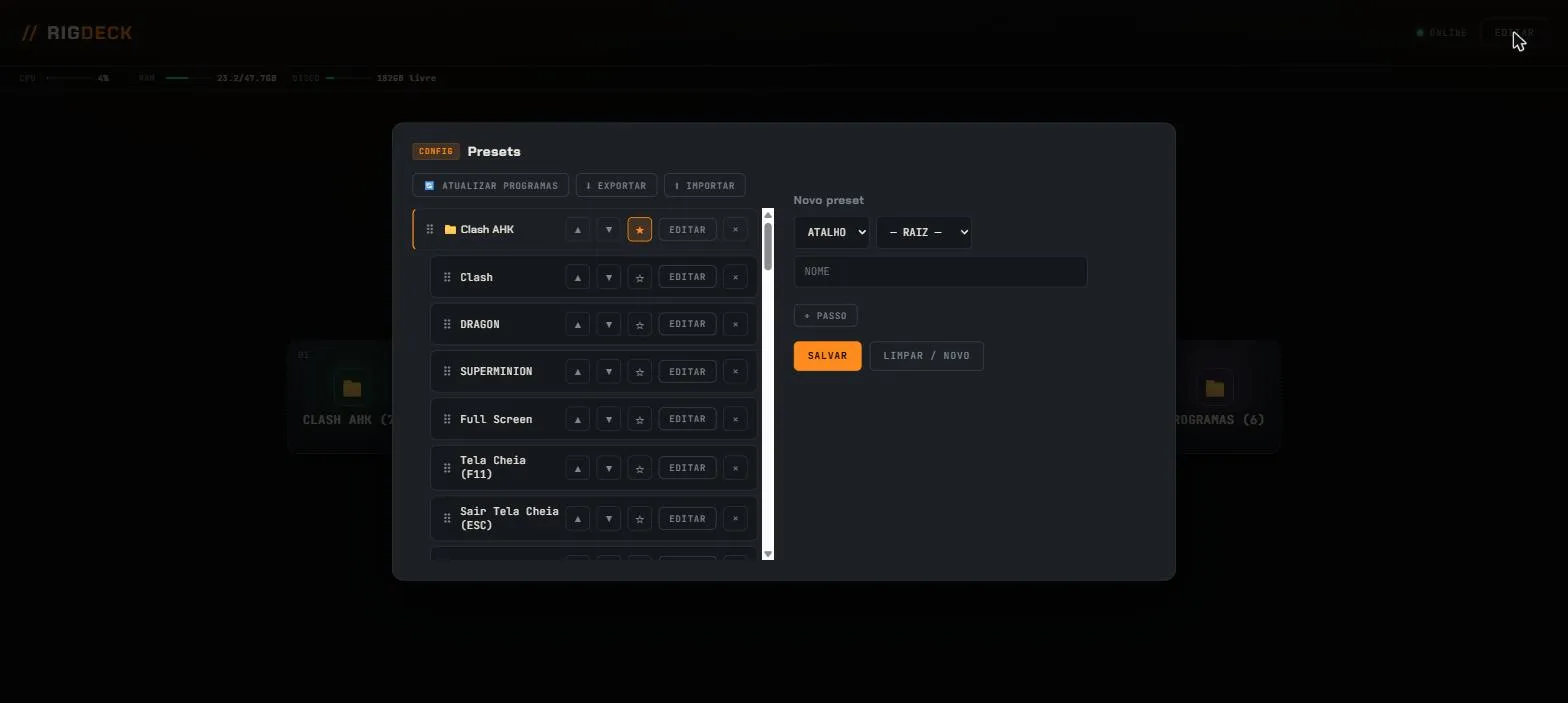
Back up every preset in one JSON file and bring it to another PC.
- 12
Starts on login, no admin
A shortcut in the Windows Startup folder starts the server. No elevated rights needed.
Screenshots
The real panel
Straight from a PC running RigDeck. The panel’s labels are in Portuguese today.
Stack
Small on purpose
Why Fastify?
The first backend ran on Express. The public version moved to Fastify and TypeScript for end-to-end types and native route schemas. The rest stayed lean: no ORM, no dependency injection, nothing the project does not need.
| Backend | Fastify + TypeScript, Node.js 20+ |
|---|---|
| Frontend | Plain JavaScript modules, no framework, no build step |
| Automation | PowerShell, with the Win32 API through inline Add-Type |
| Tests | Native node:test, with tsx as the loader |
| Storage | A local JSON file, no database |
Get started
Running in four commands
git clone https://github.com/obrenoalvim/rigdeck.gitcd rigdecknpm installnpm run build && npm startServer listening at http://0.0.0.0:4321- 1
Install on the PC
You need Windows 10 or 11 and Node.js 20 or newer. PowerShell is already there.
- 2
Open it on the phone
Connect to the same Wi-Fi and open the PC’s address on port 4321, like http://192.168.0.10:4321.
- 3
Add to home screen
Your browser installs it as an app. Turn the phone sideways for the compact layout.
Start it with Windows, no admin needed:powershell -ExecutionPolicy Bypass -File scriptsinstall-startup-shortcut.ps1
Limits
What it doesn’t do
Windows only
Window control runs on the Win32 API through PowerShell. The phone can be anything with a browser.
Local network only
There is no login. Keep port 4321 on your home network, or put a VPN or a reverse proxy with auth in front of it.
Tracking lives in memory
Restart the server and RigDeck forgets which PID belongs to which button. Hold to close then falls back to the process name.
FAQ
Questions people ask
Can I use my phone as a Stream Deck for my PC?
Yes. Run RigDeck on the Windows PC, open its address in the phone’s browser on the same Wi-Fi, and each button you create launches apps, games, sites, keys, sounds or OBS actions on the PC. No hardware and no phone app.
Do I need a Stream Deck or any hardware?
No. RigDeck runs in your phone’s browser and talks to a small server on your PC over the local network. A tablet or another PC works too.
Do I need to install an app on my phone?
No. The PC serves a web page and the phone opens it. You can add it to the home screen as an installable PWA.
Does it work on macOS or Linux?
The server runs only on Windows 10 and 11, because window control depends on the Win32 API through PowerShell.
Is it safe to expose to the internet?
No. RigDeck has no authentication. Keep it on your local network, or put a VPN or a reverse proxy with auth in front of port 4321.
Does auto-start need admin rights?
No. It starts on login through a shortcut in the Windows Startup folder.
Is the panel in English?
The panel’s own labels are in Portuguese today. The README, the code and this site are in English.
Will hold to close kill my other Discord window?
No. RigDeck tracks the PID or window handle each preset opened and closes only those. After a server restart it falls back to the process name.